Manage your membership
To update your details or renew, log in to your account
To check your loans and requests, log in to the catalogue
Start exploring
State Library members can access a wide range of free services — from borrowing books and using creative tools, to exploring newspapers, journals, ebooks, and research databases. Discover what’s available online, enjoy our onsite services when you visit, or see what you can create at The Edge.
If you’re a Queensland resident, you can access our online collection items, services and eresources from home. You’ll find answers to common questions in the FAQs below.
Not a member yet? Join now

Explore journal articles, newspapers, company and industry data and more.

Browse books, journals, magazines, and news from around the world.

Learn new skills with thousands of free, self-paced courses.

Save favourites and personalise your search experience.
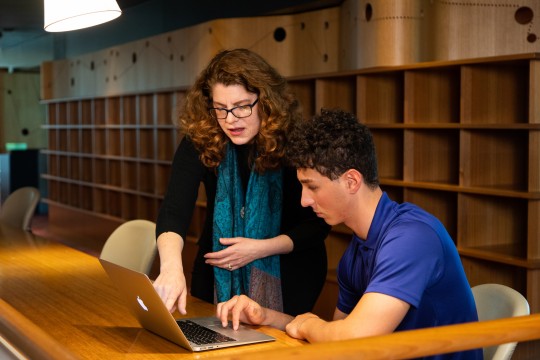
Use Curriculum Connect to collect resources for students or classrooms.
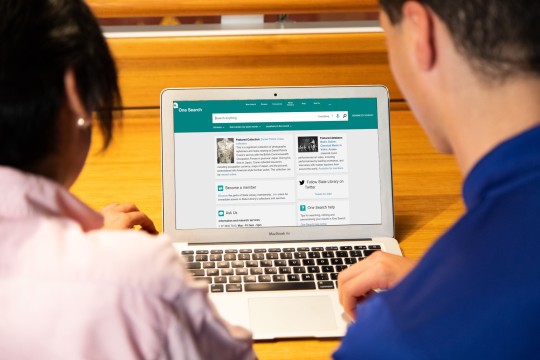
Find books and other items in the collection, and request them ahead of your visit.

Access internet, online tools, and eresources from a library computer.

Reserve a quiet study space or meeting room for individual or group use.

Use specialised research tools onsite at State Library.

Access expert help and tools to research your family history.

Complete an induction to access equipment and tools.

Use 3D printers, sewing machines, soldering kits and more.
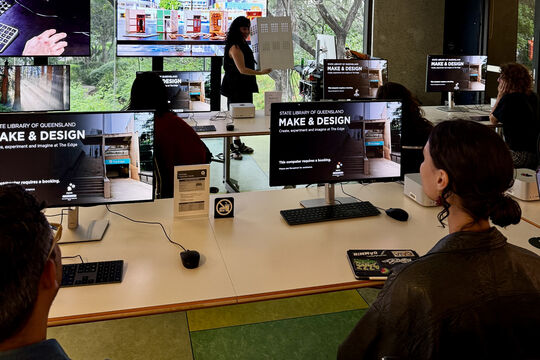
Join hands-on workshops and creative sessions — no experience needed.
| Qld resident | Qld resident | Non Qld resident | Non Qld resident | |
| Online | Onsite | Online | Onsite | |
| Access online books, magazines, journals, newspapers, documentaries and films | ● | ● | ● | |
| Borrow books and items from the Information Collections* | ● | ● | ||
| Request items from the Information Collection to be sent to your local Queensland public library | ● | ● | ||
| Access thousands of online courses | ● | ● | ● | |
| Research your family history with Ancestry Library Edition and Findmypast | ● | ● | ||
| Fast track your catalogue searches with personalisation options | ● | ● | ● | ● |
| Request items from the catalogue before you visit | ● | ● | ● | ● |
| Save learning and teaching resources on Curriculum Connect | ● | ● | ● | ● |
| Use a computer | ● | ● | ||
| Book an individual study space or meeting room | ● | ● | ● | ● |
| Access audio and video recording equipment and make and design tools | ● | ● |
*Visit State Library to show photo ID and proof of Queensland residency.
If you do not live in Queensland, restrictions may apply to our eresources. Please see our terms and conditions for further information.
How long does my membership last?
Your State Library membership lasts for 3 years. You can view your membership expiration date in One Search under My Library Card, Personal Details.
We will send you a courtesy email inviting you to renew your membership one month prior to your membership expiring.
To ensure you receive our courtesy email login to your account to confirm or update your email address.
How do I renew my membership?
Login to your account to renew your membership. Your State Library membership will be automatically renewed for a further 3 years once you select 'submit'.
You can view your membership expiration date in One Search under My Account, Personal Details.
If you are not physically located in Australia online membership renewal is unavailable.
For assistance email membership@slq.qld.gov.au or complete the Library Membership Enquiry Form.
How do I cancel my membership?
To cancel your membership
- Email membership@slq.qld.gov.au OR.
- Complete the Library Membership Enquiry Form OR.
- Visit us at South Bank at the Welcome Desk, Level 1 or Information Desk, Level 2 and 3.
To notify us when someone has died
A death can be a difficult time. To cancel a membership when someone has died email membership@slq.qld.gov.au.
How do I update my details?
Login to your account to update your membership. Your State Library membership will be automatically renewed for 3 years once your details are submitted.
If you are not physically located in Australia online membership update is unavailable.
For assistance email membership@slq.qld.gov.au or complete the Library Membership Enquiry Form.
How do I report a lost/stolen library card?
To report a lost or stolen card:
- Complete the Library Membership Enquiry Form OR.
- Visit us at South Bank at the Welcome Desk, level 1 or Information Desk, level 2 and 3.
I am unable to login
This might be because:
- You may have incorrectly entered your username or password.
- If you are a new member or recently updated your password, you may need to allow up to 15 minutes before your membership becomes active.
- If you do not live in Queensland, restrictions may apply to our eresources. Please see our terms and conditions for further information.
Contact us if you need assistance with your membership.
I am unable to register for membership
If you are not physically located in Australia online registration is unavailable.
For assistance email membership@slq.qld.gov.au or complete the Library Membership Enquiry Form.
What do I do if I’ve forgotten my username or password?
Enter your email address here to receive an email with your username and instructions on how to reset your password.
Note: if your email address is registered with more than one account complete the Library Membership Enquiry Form or contact us on 3840 7666.
How do I change my password?
Login here to change your password.
If you are not physically located in Australia online password change is unavailable.
For assistance email membership@slq.qld.gov.au or complete the Library Membership Enquiry Form.
I am under 16. Can I become a member?
Yes. Anyone can become a member of State Library of Queensland. However, if you do want to borrow items from our collections, you will require parent/guardian approval.
I am a school student — what ID do I need?
If you are 16 years or older and a school student, you only need to provide your student identification card to borrow.
If you are 15 years and younger, a signed parent/guardian consent form along with identification that includes the parent/guardian name and residential address is required before borrowing. Download a copy of the parent/guardian consent form.
For TAFE or University students, two forms of identification is required.
How can I borrow from the Library?
It's easy. If you are a State Library member and a Queensland resident, you can borrow from the Information Collection. Visit us in person and show proof of address in Queensland.
If you are unable to visit us in person, you can request an item with your State Library membership via One Search. Select Delivery to My Public Library as the pickup location and tell us the name of your Queensland public library in the comments section.
Join for free and start exploring collections, eresources, and creative services today.